Receipts

Stop typing in faded paper receipts.

Photograph or upload a receipt from the parts counter or the shop and MyDIYGarage reads the vendor, date, and amount into a draft — you just check it, attach it to the right vehicle, and your spend is logged.

No credit card required
Free plan, always

Snap the receipt, confirm the draft.

OCR pulls the vendor, date, and total off the photo so you review a filled-in draft instead of typing line items from a crumpled receipt.
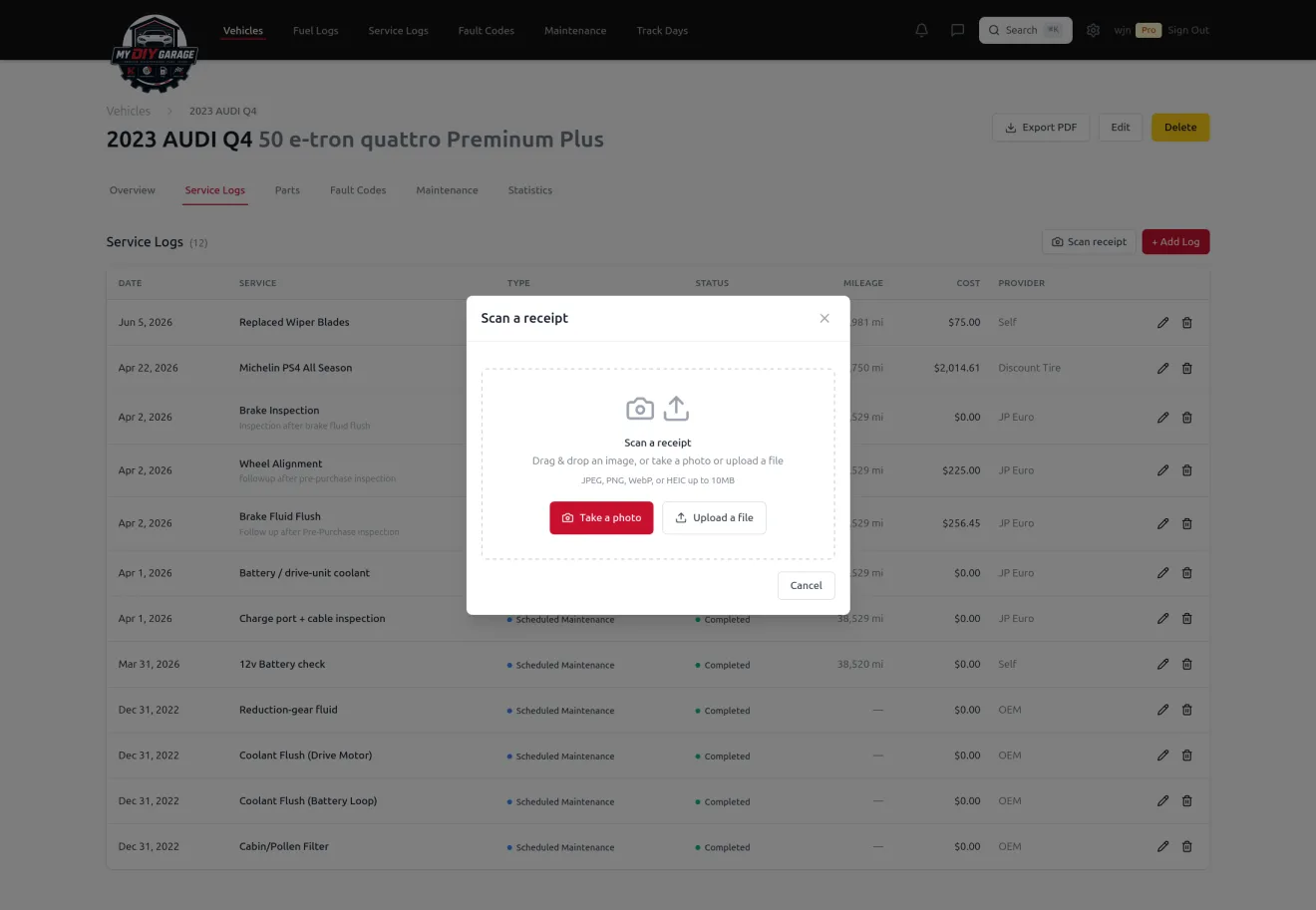
MyDIYGarage 'Scan a receipt' dialog over a vehicle's service-log list, offering to take a photo or upload a receipt file to capture the expense
Photograph a receipt and MyDIYGarage drafts the vendor, date, and total for you to confirm.

From a glovebox of paper to expenses that log themselves.

Where manual receipt entry breaks down — and how MyDIYGarage fixes it.

No more typing faded receipts

The problem: Thermal receipts fade, the print is tiny, and keying in the vendor, date, and total by hand is the chore you skip — so the record never gets made.

How MDG helps: Photograph or upload the receipt and OCR reads the vendor, date, and amount into a draft. You review a filled-in form instead of typing from a crumpled slip.

File it to the right vehicle and service

The problem: A receipt sitting in a folder doesn't tell you which car it was for, or which repair it paid for — so the cost never makes it into your history.

How MDG helps: From the draft you attach the receipt to the right vehicle and link it to a maintenance or service item, so your service history fills itself in as you confirm.

See what you've really spent

The problem: Parts-store runs and shop visits add up, but scattered paper means you never see the true cost of keeping a car on the road.

How MDG helps: Every confirmed receipt carries its amount onto the vehicle it belongs to, so lifetime spend per car is something you can actually look at.

Questions, answered.

How do I scan a car receipt?
Open MyDIYGarage, take a photo of the receipt — or upload one you already have — and the app runs OCR to read the vendor, date, and amount off the paper. Those details come back as a draft you simply review and confirm, rather than typing them in by hand. From that same draft you attach the receipt to the right vehicle and link it to a maintenance or service item, so confirming a receipt is also what fills in your service history. It works the same way whether you're at the parts counter on your phone or uploading shop receipts later from your computer.
Does receipt scanning work on both web and mobile?
Yes. You can photograph a receipt in the mobile app or upload an image on the web, and either way the OCR reads the vendor, date, and amount into a draft you confirm. The resulting receipt and the spend attached to your vehicle are visible everywhere you use MyDIYGarage.
What if the scan reads something wrong?
OCR gives you a starting draft, not a final entry. The vendor, date, and amount come back in editable fields, so if the camera misread a faded total or a smudged date you just correct it before you confirm — nothing is saved until you say it's right.
Can I attach a receipt to a specific repair?
Yes. From the receipt draft you can link it to a maintenance or service item on the vehicle, so the cost lands on the right job in your service history instead of floating loose in a folder.

Scan your first receipt today.

Free forever on your first vehicle. No credit card required.

Create your free account