Parts Manager

Every part you buy, filed with the car it's in.

Parts Manager keeps every part you buy with the car it's on. Bought a set of brake pads, a battery, or a box of filters? Log it once — snap up to five photos, record the price, vendor, and date, and note the warranty — and it lives right next to the vehicle it's installed on, so the answer's there the moment you need it.

No credit card required
Free plan, always

Every part, with the vehicle it belongs to.

Photos, purchase details, and warranty for each part — filed under the car it's installed on, not lost in a glovebox of receipts.
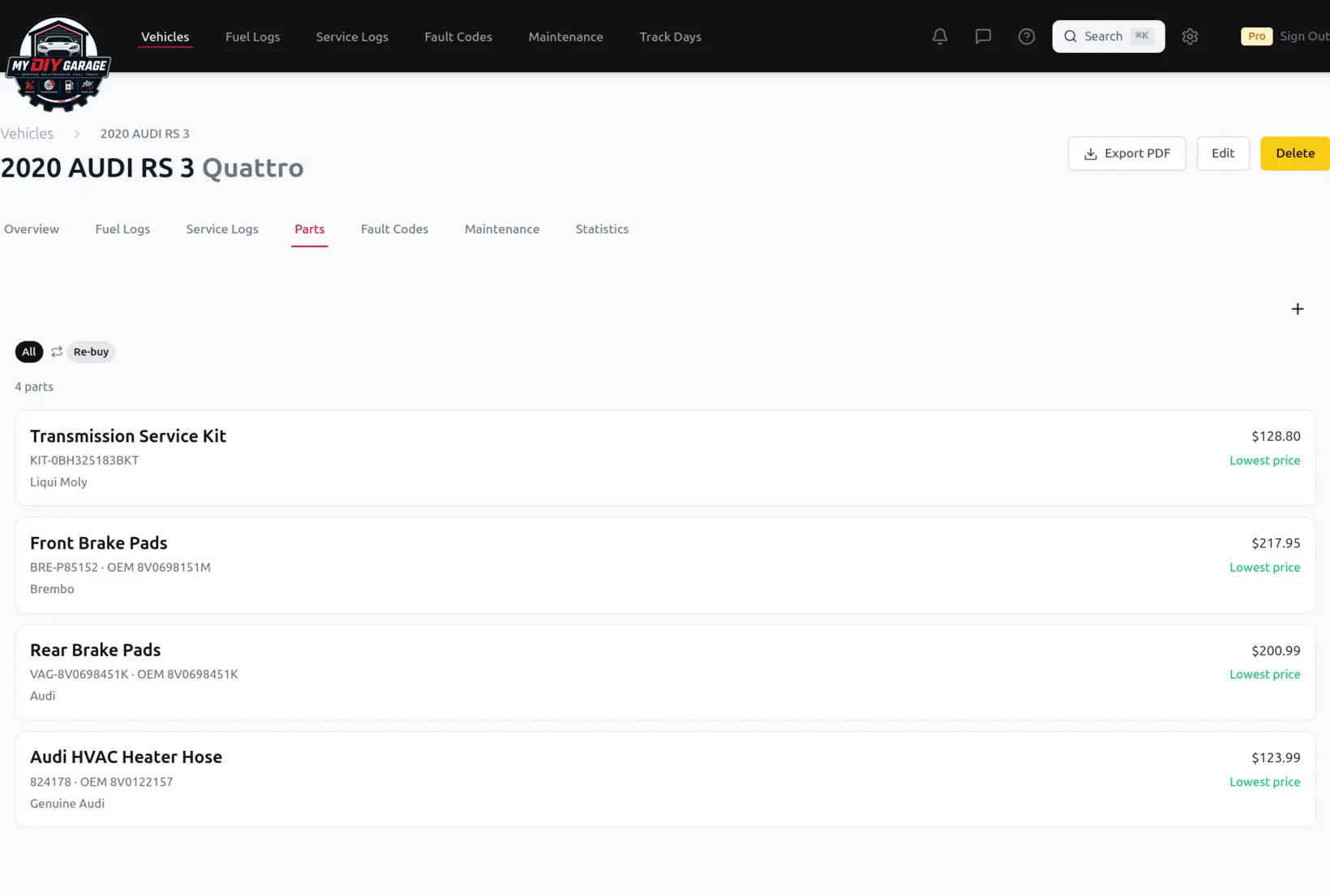
MyDIYGarage Parts tab for a vehicle, listing logged parts — a transmission service kit, front and rear brake pads, and an HVAC heater hose — each with its brand, part number, and price
Every part you've logged for a vehicle in one list — brand, part number, and what you paid, filed with the car it belongs to.

From a glovebox of receipts to a parts list that remembers for you.

Where keeping track of parts by hand falls apart — and how MyDIYGarage fixes it.

Filed with the right vehicle

The problem: A part number on a receipt doesn't tell you which car it went on, or when — so a year later you're guessing whether those pads are on the truck or the wagon.

How MDG helps: Every part you log is attached to a specific vehicle, so each car carries its own running list of what's been put in it — no guessing, no cross-referencing receipts.

Warranty you can actually find

The problem: The best time to find a warranty is the day a part fails — and that's exactly when the paperwork has gone missing.

How MDG helps: Record each part's warranty when you log it — including Lifetime for the parts that carry one — so a warranty claim starts with a date and a vendor instead of a search through old email.

What you paid, and where

The problem: Parts-store runs add up, but scattered receipts mean you never really know what a car has cost you in parts — or where you found the good price last time.

How MDG helps: Each part keeps its price, vendor, and purchase date, so you can see what you've spent per vehicle and remember exactly where you bought the part that worked.

Questions, answered.

How do I track the parts I buy for my car?
Open the vehicle in MyDIYGarage, go to its Parts list, and add the part — the pads, battery, filter, or whatever you bought. You can snap up to five photos, record where and when you bought it and what you paid, and note the warranty, including Lifetime. The part is saved against that specific vehicle, so each car keeps its own running list of everything that's been put in it.
Can I store the warranty for a part?
Yes. When you log a part you can record its warranty — including marking it Lifetime for the parts that carry one. Because the warranty is stored with the part and the vehicle it's on, a future warranty claim starts with the purchase date and vendor already in hand instead of a hunt through old receipts and email.
Which plan includes Parts?
Parts tracking is included on the Garage plan and up. The free plan focuses on the core history for your first vehicle; upgrading to Garage unlocks the parts library across your vehicles, along with the rest of the multi-vehicle features.
Does it work on my phone?
Yes. MyDIYGarage runs in your browser and installs to your home screen as an app (a PWA), so you can log a part — and photograph it — right from the parts counter on your phone, then see it later on any device where you're signed in.

Start your parts list today.

Free forever on your first vehicle. No credit card required.

Create your free account